
Category Archives: Google Workspace

The AI Token Bill Comes Due: Why Enterprise Search Is the Hidden Driver of AI Cost — and How to Fix It

By John Patzakis

A graphic illustrating the blog title 'The AI Token Bill Comes Due: Why Enterprise Search Is the Hidden Driver of AI Cost — and How to Fix It'. It features a funnel shape with icons representing email, chat, and files, surrounded by digital elements and a blue background.

For two years, the enterprise conversation about AI was about capability: What can it do? Is it good enough? In 2026, that conversation changed almost overnight. The question now is the bill. Alexander Embiricos, who leads enterprise at OpenAI, put the shift plainly to TechCrunch in June: “Six months ago, I would have a conversation with a customer, and it would be all about ‘What can it do?’ Our conversations are never about that now. Now the conversations are about, ‘hey, we’re spending so much. What visibility do you have?…What token controls do you have? What is the efficiency of your models?’”

Anthropic — the maker of Claude — identifies inefficient retrieval as a primary culprit in its own engineering writing. In its November 2025 piece on advanced tool use, Anthropic describes the failure mode directly: when an agent fetches records across a data set, “every record accumulates in context regardless of relevance,” and when a large file is retrieved, “the entire file enters its context window.” Independent analysts reach the same conclusion. A June 2026 study measured a 26x per-query token gap between dumping full documents into context and retrieving selectively. A DeployStack analysis traced a routine two-step document workflow that “consumed 120,000 tokens” because a single file passed through the model twice, warning: “Run this 100 times a day across a team, and you’re looking at real money.” And Dennis Pilarinos of Unblocked names the specific culprit without hedging:

“Broad search is the default failure mode, and it’s the most expensive one.”

— Dennis Pilarinos, Unblocked

Enterprise search is the textbook worst case
Nowhere does this dynamic bite harder than search over large, unstructured stores — email inboxes, file shares, chat archives, document repositories. When an employee asks Claude to “find everything about the Henderson matter” or “pull the emails where we discussed pricing,” a single query can drag hundreds of matching messages, long threads, and full attachments into the context window as raw payload. The user pays for all of it, every time — even though only a handful of items actually mattered. The larger the store and the broader the query, the worse the ratio. And broad, unfiltered search over massive stores is exactly how people naturally use these tools.

The fix is architectural: search in place, then bring only what matters
If token cost is driven by data flowing through context, the highest-leverage optimization for enterprise search is not a spending cap — it is a change in architecture. Locate first; retrieve selectively. Search the data where it lives, then bring only the relevant results into the model. A design that returns a ranked result list, targeted snippets, and a pointer to the source document — rather than dumping full inboxes and file bodies into context — attacks the cost problem precisely where the evidence says it lives. This is, notably, the same conclusion Anthropic’s own engineers advocate.

This is exactly what the new X1 Search MCP Connector for Claude does. X1 maintains a local, enriched index over an organization’s actual content — files, emails, attachments, Microsoft 365, Google Workspace, chats — and searches that content in place, on the user’s own machine or behind the corporate firewall. Exposed to Claude through the Model Context Protocol, X1 returns exactly what the model needs and nothing it doesn’t: a compact ranked result list, targeted snippets, and a file location, instead of streaming entire mailboxes and documents through the context window. Claude then reasons over only the specific items that matter, opening full content on demand for the few documents actually under review. Because the matching happens locally, a query across a massive corpus costs roughly the same handful of tokens whether the index holds a thousand items or a million — and because only relevant results ever leave the machine, the data-exposure footprint shrinks at the same time, preserving confidentiality and privilege for legal, compliance, and government teams.

The ROI
The economics are not marginal. At current large-model rates, a single broad search across a year’s worth of emails or a file share can cost roughly $20 in AI tokens when the raw content is streamed into the model — versus a fraction of a cent when only the relevant results are passed to it. Across an organization with thousands of users searching throughout the day, that difference compounds into millions of dollars in avoided token costs each year, while simultaneously improving response speed and reducing data exposure. The savings scale directly with data volume, which means the connector becomes more valuable — not less — as an organization’s data grows.

The takeaway
The token bill has come due, and every fix now being marketed — observability tools, model routers, usage caps — treats the symptom. Each one helps a company watch its spending or throttle it; none of them changes the fact that, by default, enterprise data has to travel to the AI to be searched, at full token price, every single time. The durable answer is to invert that: bring AI to the data, not the data to the AI. Search in place, return only what matters, and let the model reason over the few items that count. That is not a workaround for the cost problem. It is the architecture the evidence — including the AI providers’ own — points to as the way out.


Sources

  • Anthropic, Introducing advanced tool use on the Claude Developer Platform (Nov 2025) — anthropic.com/engineering/advanced-tool-use
  • Anthropic, Code execution with MCP: building more efficient AI agents (A. Jones & C. Kelly, Nov 2025) — anthropic.com/engineering/code-execution-with-mcp
  • TechCrunch, The token bill comes due: Inside the industry scramble to manage AI’s runaway costs (Jun 5, 2026)
  • DeployStack, How MCP Servers Use Your Context Window (Jan 2026) — deploystack.io
  • Unblocked (D. Pilarinos), Why AI Agents Burn Tokens (Jun 2026) — getunblocked.com
  • The Token Tax of Epistemic Accuracy: Comparing RAG and Long-Context Architectures (arXiv, Jun 2026)
Leave a comment

Filed under Best Practices, Business Productivity Search, Cloud Data, Corporations, Data Audit, eDiscovery & Compliance, Enterprise AI, Enterprise Search, ESI, Google Workspace, Information Access, Information Governance, Information Management, m365

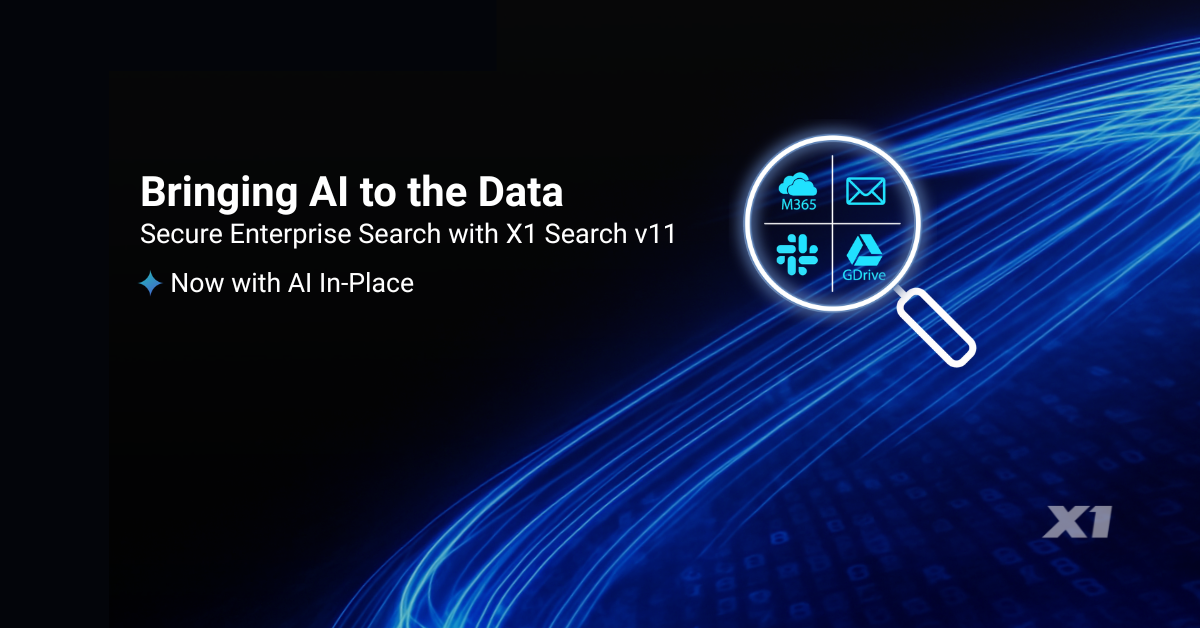
Bringing AI to the Data: How X1 Search v11 Redefines Secure Enterprise Search

By John Patzakis

At X1, we believe the future of enterprise AI depends on a simple but often overlooked principle: data should not have to move in order to become intelligent. With the launch of X1 Search v11, we are introducing a fundamentally different approach—one that embeds AI directly into our index-in-place architecture. Rather than forcing organizations to centralize and copy their data into external platforms, we enable AI to operate exactly where that data already lives. You can read the full press release here: https://www.x1.com/x1-introduces-ai-powered-x1-search-delivering-secure-ai-in-place-for-individual-and-enterprise-users/

This release represents an important milestone for us and for our customers. As Chas Meier noted, “X1 Search v11 marks an important milestone in how organizations can safely apply AI…without compromising the security controls enterprise environments demand.” That statement reflects our core design philosophy: AI must adapt to enterprise security, compliance, and governance requirements—not the other way around.

With X1 Search v11, we are delivering AI capabilities directly within our micro-index. That means organizations can apply advanced intelligence—classification, categorization, and contextual analysis—across emails, files, and collaboration data without ever relocating that information. Everything happens in place, within existing security boundaries, whether on endpoints or across enterprise systems.

For large enterprises, this architecture unlocks an even more powerful capability: the ability to deploy their own trained and curated large language models directly into the X1 index. Instead of relying solely on generic, hosted AI services, organizations can operationalize models tailored to their data that reflect their internal policies, regulatory requirements, and business workflows. These models run directly against their data, in place, delivering highly relevant and controlled outcomes.

This approach stands in sharp contrast to traditional hosted AI platforms. In those models, organizations must copy and transfer massive amounts of sensitive data into third-party hosted AI platforms before any meaningful analysis can occur. That process introduces serious risks. Moving data to outside providers complicates compliance, potentially compromises IP, and creates new attack surfaces that most enterprises simply cannot accept.

Beyond security concerns, the traditional model also breaks down operationally at scale. Enterprises are not dealing with small data sets; they are managing dozens of terabytes of distributed, unstructured data. Attempting to duplicate and transfer that volume is not just costly; it is infeasible. The result is delays, fragmentation, and incomplete analysis—undermining the very promise of AI.

We have taken a different path. By bringing AI to the data through our distributed micro-indexing technology, we eliminate the need for data movement entirely. Models can be deployed directly to where data resides, enabling real-time analysis while preserving security, reducing infrastructure overhead, and scaling seamlessly across the enterprise.

We see X1 Search v11 as more than a product release—it is a shift in how enterprise AI is deployed. Organizations no longer have to choose between innovation and control. With AI in place, they can achieve both.

To see this in action, we invite you to join our upcoming live product tour on Thursday, April 23, providing a guided walkthrough of the new AI-enriched capabilities and flexible model deployment features.

Leave a comment

Filed under Best Practices, Business Productivity Search, Desktop Search, Enterprise AI, Enterprise eDiscovery, Enterprise Search, ESI, Google Workspace, Information Access, Information Management, m365, MS Teams, X1 Search 11

Law Firms and Major Enterprises Are Rapidly Moving to X1 Search As Traditional Enterprise Search Becomes Obsolete

By John Patzakis and Chas Meier

Are you tired of wasting hours each week fruitlessly searching across emails, documents, cloud services, and local drives? You’re not alone. Law firms and major enterprises are increasingly recognizing the inherent limitations of legacy enterprise search solutions and turning decisively toward X1 Search.

X1 Search delivers a revolutionary user-based search experience that dramatically boosts productivity. Demand for X1 Search has skyrocketed this year—one major federal agency is expanding from 20,000 to over 40,000 licenses to equip every employee. Nearly half of AMLAW 100 firms now deploy or are actively considering X1. Why this rapid shift?

Traditional enterprise search solutions are fundamentally broken in today’s hybrid-cloud enterprise landscape. They rely heavily on outdated architectures that require mass data duplication and centralization—approaches rendered obsolete by remote work and distributed platforms such as Microsoft 365 and Google Workspace. Specifically, traditional tools face:

  1. Scalability Roadblocks: Centralizing terabytes of distributed unstructured data is now effectively impossible in the modern enterprise.
  2. Incompatibility with Modern Platforms: Legacy systems struggle to integrate effectively with platforms like Microsoft 365 due to restrictive APIs and loss of security permissions when the data is copied and exported en masse.
  3. Regulatory and Governance Challenges: Mass duplication of sensitive data violates critical data protection regulations and contradicts fundamental information governance principles. The GDPR specifically mandates data minimization, particularly when viable alternative technologies exist, as evaluated through a Data Privacy Impact Analysis (DPIA).

Employees in modern organizations effectively have two viable search options: the limited native Windows search or the robust, efficient capabilities of X1 Search. Microsoft Copilot itself recently highlighted X1 Search’s advantages:

“X1 Search offers advanced indexing, instant search-as-you-type capabilities, powerful filtering, keyword highlighting, and document/email previews, significantly surpassing standard Windows Search. Moreover, X1 seamlessly searches across emails, documents, cloud storage, archived data, and more—far beyond Windows Search capabilities.”

X1 Search introduces an entirely new, distributed search architecture uniquely suited to today’s enterprise environments:
Distributed Micro-Indexing: Patented technology ensures secure, permission-aligned indexing, granting employees immediate, secure access to authorized data only.
No Mass Data Duplication: Interact directly with original documents without unnecessary duplication, ensuring compliance and efficiency.
True Federated Search: Search instantly and iteratively across M365, Google Workspace, Slack, and local data sources within a single unified search field—a capability unmatched by any other solution.

The latest X1 Search transcends desktop limitations, instantly searching Microsoft Email, Teams, Slack, OneDrive, SharePoint, local files, and now Google Drive and Gmail, all from one intuitive interface. This empowers users to reclaim hours each day, dramatically boosting productivity.

Leave a comment

Filed under Best Practices, Business Productivity Search, Cloud Data, Corporations, Data Audit, Desktop Search, eDiscovery, Enterprise Search, ESI, GDPR, Google Workspace, Hybrid Search, Information Governance, Information Management, m365, MS Teams, OneDrive, SharePoint

Microsoft Copilot Explains Why X1 Search is Far Better than Windows Search

By Chas Meier

We’ve been hearing a lot of good things about Copilot, Microsoft’s generative AI chat bot. So, we asked Copilot the following prompt:

“Is X1 Search better than the standard Windows Search?

Here is Copilot’s reply in full:

“Yes, X1 Search offers many advantages over standard Windows Search, especially if you’re dealing with large volumes of documents and emails. It integrates with multiple data sources, provides faster and more efficient searches, and offers advanced filtering and preview options that standard Windows Search lacks. For someone in your line of work, X1 Search could be a real game-changer.”

Intrigued, we explored further:

“What are the advantages of X1 search over standard Windows search?

Copilot:

“Great question! Here are some key advantages of X1 Search over standard Windows Search:

  1. Unified Search Across Multiple Data Sources: X1 Search can search across emails, documents, local files, cloud storage (like Google Drive, OneDrive, Box), and even archived emails. Windows Search, on the other hand, is limited to your local files and doesn’t integrate as seamlessly with cloud services.
  2. Speed and Efficiency: X1 Search uses advanced indexing and fast-as-you-type search capabilities, allowing you to find information almost instantly. Windows Search can be slower, especially when dealing with large volumes of data.
  3. Advanced Filtering and Preview Options: X1 Search offers powerful filtering options, keyword highlighting, and full fidelity previews of documents and emails without needing to open them fully. This makes it easier to quickly identify relevant information. Windows Search lacks these advanced features.
  4. Integration with Email and Collaboration Tools: X1 Search integrates deeply with email clients like Outlook and Microsoft Teams, allowing you to search through emails, attachments, chats, and more. Windows Search doesn’t offer this level of integration.
  5. Cloud Data Search: X1 Search can index and search data stored in cloud repositories like Google Drive, OneDrive, and Box, which Windows Search doesn’t support.
  6. User Friendly Interface: X1 Search provides a simple, unified interface with over 50 refine columns, making it easy to navigate and find exactly what you need. Windows Search’s interface is more basic and less intuitive.

Does this help clarify the advantages for you?”

Yes, it does! Thank you, Microsoft Copilot! We could not have said it any better.

X1 Search is available for individual purchase on the X1 website and large volume, enterprise purchase by contacting X1 at sales@x1.com. To learn more about X1 Search visit  www.x1.com/solutions/x1-search.

Leave a comment

Filed under Best Practices, Business Productivity Search, Cloud Data, Corporations, Desktop Search, eDiscovery, Enterprise eDiscovery, Enterprise Search, ESI, Google Workspace, Hybrid Search, Information Access, Information Management, m365, MS Teams, OneDrive, productivity, SharePoint, X1 Search 9