Category Archives: Enterprise Search

Why Most Tools Fall Short for Large-Scale Information Governance and What Actually Works

By John Patzakis

For more than a decade, enterprise organizations have struggled with a persistent and costly challenge: how to effectively search, collect, manage, and analyze large volumes of unstructured on-premise data for information governance, eDiscovery, and enterprise search use cases. We are talking about environments with many terabytes of data distributed across file servers, email archives, endpoints, and Microsoft 365 data that must be rapidly interrogated, precisely analyzed, and in many cases urgently remediated in response to a regulatory inquiry, a data breach, or an M&A transaction. Despite the proliferation of tools claiming to address this challenge, none has ever truly solved it at scale. The core reason is architectural. Most of these tools are built on a flawed foundation from the start.

The gravitational pull toward Elasticsearch as the search foundation for enterprise data tools is easy to understand. It is open source, it is widely documented, and it is written in Java a language familiar to a large pool of developers. For these reasons, a basic centralized search and analysis tool can be assembled relatively quickly, and hundreds of vendors and in-house development teams have taken exactly this path. The problem is not that Elasticsearch lacks capability for general-purpose search. The problem is that general-purpose search and large-scale enterprise information governance are fundamentally different problems, and what works for one fails badly at the other. What is rarely discussed openly but what practitioners learn the hard way is that Elasticsearch’s architectural limitations are not configuration issues that can be engineered around. They are structural constraints baked into the platform’s design, and they surface precisely at the scale and complexity that serious information governance work demands.

The result is a graveyard of failed or severely limited information governance deployments: tools that work impressively in demos on curated datasets of a few hundred gigabytes, but that buckle, stall, or simply break when asked to operate on the multi-terabyte, distributed, live data environments that characterize real enterprise compliance projects.

The Structural Limitations of Elasticsearch for Information Governance
The memory problem with Elasticsearch begins with Java itself, which requires a significant amount of compute power over other code bases when addressing large volumes of data. The Java Virtual Machine (JVM) requires a heap to manage object allocation, and as data volumes grow, the memory demands scale dramatically. Each Elasticsearch index must be loaded into memory to be searched, and in a multi-terabyte environment with complex query patterns — the kind that information governance work consistently requires — the JVM heap pressure becomes severe and unmanageable. Organizations that have attempted to deploy Elasticsearch-based platforms against over 10 terabytes of enterprise data consistently encounter the same outcome: massive hardware requirements, constant tuning, and performance that degrades as the dataset grows rather than holding steady. The compute overhead is not a solvable problem; it is an inherent consequence of building a memory-intensive centralized index on a Java runtime, and it places a practical ceiling on what Elasticsearch-based governance tools can realistically accomplish.

Beyond the memory constraints, the workflow required to use Elasticsearch for information governance introduces a second, equally serious problem: it requires a full copy of the data under governance to be made and migrated into the centralized index. For a 50-terabyte dataset, this means creating 50 additional terabytes of sensitive material — often including personally identifiable information, privileged communications, and confidential business records — and transferring it outside its original, controlled location. Requiring the wholesale copying and centralization of that same data in order to govern it is a fundamental contradiction, one that legal, security, and compliance stakeholders increasingly and rightly reject.

The timeline problem compounds the data duplication problem. Copying, transferring, and indexing 50 terabytes of enterprise data into a centralized Elasticsearch platform is not a weekend project. In real-world deployments, this process can take months, even under favorable conditions. And information governance use cases are rarely patient ones. Data breach impact assessments operate under regulatory notification deadlines measured in days. M&A-related data audits run on compressed timelines driven by transaction closing schedules. By the time the data has been staged and indexed into a centralized Elasticsearch platform, the underlying data has changed, and the copied index set is already stale.

Finally, even if an organization tolerates the data duplication, survives the timeline, and manages the memory overhead, there is a “last mile” problem that the centralized Elasticsearch architecture cannot solve: remediation. Information governance is not just about finding sensitive or problematic data — it is about acting on it — Deleting records past their retention period. Quarantining compromised PII. Tagging and separating data in support of a corporate divestiture. When the discovery and analysis workflow is built on a centralized copy of the data, the organization is operating on clones, not originals. The identified data still exists in its original locations distributed across file servers, Microsoft 365 environments, laptops, and cloud storage. Tracing back from a finding in a centralized index to the live source, and then executing a remediation action on that source, is a manual, error-prone, and operationally disruptive process.

How X1 Enterprise’s Micro-Indexing Architecture Solves What Elasticsearch Based Tools Cannot
X1 Enterprise is built on a fundamentally different architectural premise: rather than requiring data to be copied and centralized, X1’s patented micro-indexing technology indexes, searches, analyzes, and remediates data entirely in place where it lives, within the corporate environment, without ever moving it. This architectural difference is consequential at every stage of a large-scale governance project. The micro-indexing engine is written in C++, which delivers dramatically more efficient memory utilization than a Java-based runtime. Individual micro-indexes do not need to be loaded into memory simultaneously; the architecture is genuinely distributed and parallelized, enabling X1 Enterprise to operate effectively at multi-terabyte scale, including at hundreds of terabytes, without the memory walls and hardware escalation that make Elasticsearch-based platforms impractical for serious enterprise deployments.

Because X1 Enterprise operates in place, the data duplication problem is eliminated entirely. There is no second copy of your sensitive data to govern, secure, or explain to regulators. The indexed data remains in its original location, under the organization’s existing controls, throughout the entire governance workflow. This means that X1 Enterprise not only avoids compounding compliance risk, it actively reduces it, by ensuring that sensitive data never leaves its controlled environment. For organizations subject to GDPR, HIPAA, CCPA, or sector-specific data residency requirements, the ability to conduct large-scale information governance analysis entirely within the corporate firewall is not a luxury. It is a hard requirement. X1 Enterprise is the only platform in the market that can meet this requirement at multi-terabyte scale without architectural compromise.

Perhaps most powerfully, the in-place architecture closes the remediation loop that Elasticsearch-based tools leave permanently open. When X1 Enterprise identifies data that must be deleted, preserved, tagged, or acted upon, it can execute that remediation directly on the source data in Microsoft 365, on file servers, on endpoints, wherever the data resides. There is no manual tracing back from a centralized index to a distributed original. The finding and the action occur in the same environment, with full auditability and chain-of-custody documentation.

X1 Enterprise delivers the architecture that the industry has needed for years.

To learn more, schedule a briefing today at sales@x1.com or visit x1.com/solutions/x1-enterprise-platform.

Leave a comment

Filed under Best Practices, Business Productivity Search, Data Governance, eDiscovery & Compliance, Enterprise AI, Enterprise eDiscovery, Enterprise Search, ESI, Information Governance, Information Management

Bringing AI to the Data: How X1 Search v11 Redefines Secure Enterprise Search

By John Patzakis

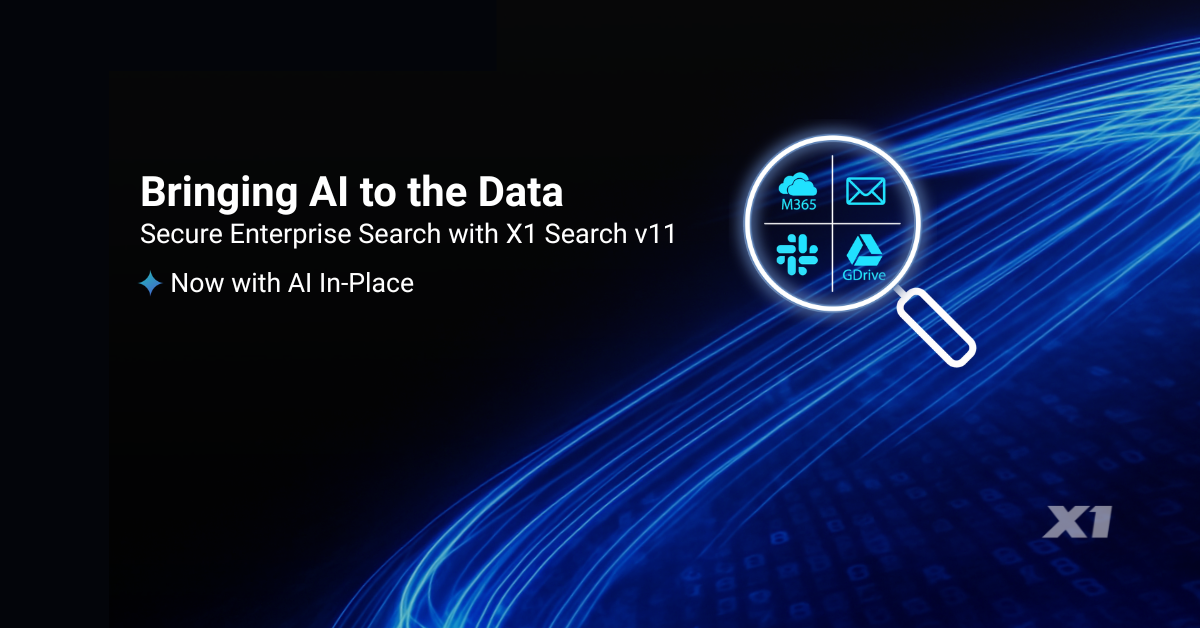
At X1, we believe the future of enterprise AI depends on a simple but often overlooked principle: data should not have to move in order to become intelligent. With the launch of X1 Search v11, we are introducing a fundamentally different approach—one that embeds AI directly into our index-in-place architecture. Rather than forcing organizations to centralize and copy their data into external platforms, we enable AI to operate exactly where that data already lives. You can read the full press release here: https://www.x1.com/x1-introduces-ai-powered-x1-search-delivering-secure-ai-in-place-for-individual-and-enterprise-users/

This release represents an important milestone for us and for our customers. As Chas Meier noted, “X1 Search v11 marks an important milestone in how organizations can safely apply AI…without compromising the security controls enterprise environments demand.” That statement reflects our core design philosophy: AI must adapt to enterprise security, compliance, and governance requirements—not the other way around.

With X1 Search v11, we are delivering AI capabilities directly within our micro-index. That means organizations can apply advanced intelligence—classification, categorization, and contextual analysis—across emails, files, and collaboration data without ever relocating that information. Everything happens in place, within existing security boundaries, whether on endpoints or across enterprise systems.

For large enterprises, this architecture unlocks an even more powerful capability: the ability to deploy their own trained and curated large language models directly into the X1 index. Instead of relying solely on generic, hosted AI services, organizations can operationalize models tailored to their data that reflect their internal policies, regulatory requirements, and business workflows. These models run directly against their data, in place, delivering highly relevant and controlled outcomes.

This approach stands in sharp contrast to traditional hosted AI platforms. In those models, organizations must copy and transfer massive amounts of sensitive data into third-party hosted AI platforms before any meaningful analysis can occur. That process introduces serious risks. Moving data to outside providers complicates compliance, potentially compromises IP, and creates new attack surfaces that most enterprises simply cannot accept.

Beyond security concerns, the traditional model also breaks down operationally at scale. Enterprises are not dealing with small data sets; they are managing dozens of terabytes of distributed, unstructured data. Attempting to duplicate and transfer that volume is not just costly; it is infeasible. The result is delays, fragmentation, and incomplete analysis—undermining the very promise of AI.

We have taken a different path. By bringing AI to the data through our distributed micro-indexing technology, we eliminate the need for data movement entirely. Models can be deployed directly to where data resides, enabling real-time analysis while preserving security, reducing infrastructure overhead, and scaling seamlessly across the enterprise.

We see X1 Search v11 as more than a product release—it is a shift in how enterprise AI is deployed. Organizations no longer have to choose between innovation and control. With AI in place, they can achieve both.

To see this in action, we invite you to join our upcoming live product tour on Thursday, April 23, providing a guided walkthrough of the new AI-enriched capabilities and flexible model deployment features.

Leave a comment

Filed under Best Practices, Business Productivity Search, Desktop Search, Enterprise AI, Enterprise eDiscovery, Enterprise Search, ESI, Google Workspace, Information Access, Information Management, m365, MS Teams, X1 Search 11

X1 Expands Its Leadership in Microsoft Teams eDiscovery Collection

X1 Enterprise MS Teams Collection

By John Patzakis and Chas Meier

The rapid growth of Microsoft 365 has fundamentally changed the eDiscovery landscape. Among its most prominent data sources, Microsoft Teams now generates vast volumes of business-critical communications that must be identified, collected, and reviewed in litigation, regulatory, and compliance matters.

Yet most eDiscovery tools still rely on outdated methods: bulk copying massive amounts of sensitive data and transferring it to proprietary processing or review platforms. This approach is slow, costly, and disruptive. Bulk transfers frequently trigger Microsoft’s throttling controls, adding significant delays. More importantly, organizations that have invested heavily in Microsoft 365 do not want their data routinely exported out of its secure, native environment every time an eDiscovery matter or compliance investigation arises.

Recognizing these challenges, X1 has built upon its industry-leading Microsoft 365 collection capabilities to deliver unmatched support for Microsoft Teams—alongside OneDrive, Exchange, and SharePoint.

Key Benefits of X1’s Teams Collection Capabilities
Precision targeting of Channels at scale – Quickly search all available channels, select, and target specific Teams channels, even in organizations with tens of thousands of them. This feature is not even available in Microsoft Purview!
Granular control – Target individual custodians and message threads, avoiding unnecessary mass downloads.
Contextual collections – Automatically include a designated number of preceding and subsequent messages, preserving conversational context.
Seamless review integration – One-click upload of fully formatted in-context results directly into review platforms—no manual processing required.
Unified approach – Search and collect across Teams, OneDrive, SharePoint, Exchange, laptops, and file shares from a single interface.
In-place indexing – Leverage X1’s patented technology to index, search, and process data where it resides, eliminating reliance on expensive third-party processing.
True automation – A software-based solution that reduces dependency on manual, service-heavy workflows.

No other independent software provider matches the speed, precision, and scalability of X1’s Microsoft Teams eDiscovery collection. Our customers consistently report significant gains in efficiency, cost savings, and defensibility compared to legacy approaches.

As Teams usage continues to surge, legal and compliance professionals need solutions that deliver targeted, defensible collections without the inefficiencies of bulk exports. X1’s enhanced Teams support ensures organizations can meet these demands with speed, accuracy, and minimal disruption.

Seeing is believing—watch our short demo video to experience X1’s Teams capabilities in action.

Leave a comment

Filed under Best Practices, Cloud Data, Corporations, ECA, eDiscovery, eDiscovery & Compliance, Enterprise eDiscovery, Enterprise Search, ESI, Hybrid Search, Information Governance, m365, MS Teams, OneDrive

Modernizing eDiscovery: A Huge Strategic Win for Legal Operations Executives

By John Patzakis

Modern In-Place Data Discovery

For today’s corporate legal departments, controlling runaway costs is no longer optional — it’s a mandate. Nowhere is this more evident than in the spiraling expenses for outsourced eDiscovery and information governance services. While litigation and regulatory demands continue to grow, many organizations still rely heavily on costly outside service providers to identify, collect, process, and produce electronically stored information (ESI). This outdated model drains budgets, strains timelines, and introduces unnecessary risk.

Enter the modern legal operations executive. One of their core responsibilities is to identify inefficiencies and leverage technology to reduce costs and streamline workflows. Modernizing eDiscovery and information governance processes is a very fertile and high-impact opportunity to do exactly that. Doing so can save organizations tens of millions of dollars in hard (actual) costs. Here’s how:

1) Bring eDiscovery In-House and Slash Costs with the Right Technology

Outsourced eDiscovery vendors typically charge steep hourly rates and volume-based markups for even routine tasks like identifying and collecting custodial data. Yet studies — and real-world case studies — consistently show that corporations can reduce eDiscovery costs by up to 90% by adopting targeted collection and in-place search technology.

Solutions like X1 Enterprise enable legal and compliance teams to index and search data in place — without cumbersome, time-consuming manual collection. By deploying this technology internally, the legal operations team can replace costly third-party workflows, including highly inefficient Microsoft 365 processes, with faster, defensible, and far less expensive processes. This means greater control over timelines and budgets, and reduced exposure to data security risks associated with handing over large volumes of sensitive information to multiple vendors.

2) Drive Broader Efficiencies Beyond Litigation

The benefits of a modern eDiscovery platform extend far beyond document production in a lawsuit. The same technology can be leveraged for critical information governance and data compliance functions. For example, when a company needs to respond to internal audits, regulatory data access requests, or data privacy audits and inquiries, in-place search capabilities allow teams to quickly find and manage relevant data without reinventing the wheel each time.

Legal operations executives can champion the use of enterprise eDiscovery tools for these broader use cases, creating synergies between compliance, privacy, IT, and legal teams. This not only reduces redundant spending on separate point solutions but also ensures better control of data and improved risk management across the organization.

3) Partner with Finance to Uncover Hidden Cost Savings

A key role of legal operations is to align legal spend with broader corporate financial goals. When evaluating an in-house eDiscovery solution, legal ops leaders should engage their CFO early. One common pitfall is focusing solely on capital IT budgets while overlooking how much is siphoned away from the legal operating budget to fund expensive outsourced eDiscovery services.

In one real-world example, a company assumed they could not afford an internal solution based on their limited IT budget. However, when they worked with their CFO to analyze total eDiscovery spending, they discovered they were paying tens of millions annually from a separate operating budget to outside providers. Redirecting even a fraction of this spend towards a robust internal platform not only paid for the technology but will yield millions in net savings — year after year.

Final Thoughts

For legal operations executives looking to deliver immediate cost savings, increase efficiency, and elevate the department’s strategic value, modernizing eDiscovery and information governance processes is perhaps their greatest opportunity for an immediate and significant impact. By bringing the process in-house with proven technology like X1 Enterprise, expanding its use to multiple compliance and governance scenarios, and partnering with finance to eliminate wasteful spending, legal operations can transform eDiscovery and information governance from a financial drain into a model of operational excellence.

Interested in learning more about how to achieve this transformation? Schedule a briefing today at sales@x1.com or visit www.x1.com/solutions/x1-enterprise-platform.

Leave a comment

Filed under Best Practices, Cloud Data, Corporations, Data Audit, ECA, eDiscovery, eDiscovery & Compliance, Enterprise eDiscovery, Enterprise Search, ESI, Information Access, Information Governance, Information Management, m365, Preservation & Collection, Records Management

X1 Search Version 10: A Game-Changer for Modern Enterprise Search

By John Patzakis

Enterprise search has long been a pain point for organizations—fragmented data, slow retrieval, and outdated architectures have left businesses struggling to find information efficiently, resulting in millions of hours of lost productivity. But with the release of X1 Search Version 10, a new era has arrived—one that redefines how business professionals search, discover, and act on their information across cloud and endpoint ecosystems.

And the standout features? Full integration with Slack, enhanced support for Microsoft 365, support for Gmail and Google Drive and numerous other cloud data sources, as well as improvements to our enterprise-grade speed and scalability! With version 10, you can now search Slack in tandem with your email, files, and your Microsoft 365 data sources, including Teams.

Slack and Teams have become the modern enterprise’s water cooler and meeting room rolled into one. It is where you and your colleagues have critical conversations, exchange files, and document decisions. But until now, most enterprise search tools could not index Slack effectively, let alone allow unified searching across Slack and email.

X1 Search 10 changes the game by uniquely enabling real-time search across Slack messages, channels, and attachments alongside your Outlook, M365, Google Workspace, files, and more—all in a single interface. This allows business professionals to instantly search all their key information and full context of communication threads, no matter where their conversations took place. Imagine searching, seeing, and acting on your relevant Slack chats, Teams chats, email threads, and related documents side by side, in seconds. No toggling between systems. No data blind spots. Just instant insight and supercharged productivity.

Speed, Scale, and Simplicity with Micro-Indexing
What makes this lightning-fast and massively scalable experience possible is X1’s patented search and micro-indexing architecture. Unlike legacy systems that first require inefficient, time-consuming crawlers to collect, duplicate, and then transfer the data en masse into central repositories, which is a recipe for failure, X1 indexes data in-place. This means:

• No massive data movement
• Real-time indexing at the source
• Full maintenance of user permissions and access controls
• Lightning-fast search response times—even across multi-terabyte datasets

This distributed, index-in-place model is purpose-built for today’s data environment, where critical content lives across cloud platforms (Microsoft 365, OneDrive, SharePoint, Slack), endpoints, MS Exchange Servers, and file shares. With X1, organizations get a true federated view of enterprise content—without sacrificing speed, security, information governance, or user experience.

Legacy Enterprise Search Is Officially Obsolete
Traditional enterprise search tools—built for centralized environments—are no match for the demands of the modern workplace. As data continues to fragment across cloud platforms, remote endpoints, and collaboration apps like Slack and Teams, the old Enterprise Content Management (ECM) model of copy and migration to centralized indexing is completely untenable in terms of the laws of physics as well as creating significant security and governance risks.

X1 Search leapfrogs past those outdated architectures. With native support for Slack, robust Microsoft 365 integration, and enterprise-grade security and scalability, X1 enables rapid search and collection across the full digital workplace.

No more hours of lost productivity per week. Just real-time, precise search across your enterprise data—wherever it lives.

X1 Search Version 10 is now available. Ready to see it in action? Watch a 4-minute demo or obtain a free trial license (no credit card required) now.

Leave a comment

Filed under Best Practices, Business Productivity Search, Cloud Data, Corporations, Desktop Search, Enterprise Search, Hybrid Search, Information Management, m365, MS Teams, OneDrive, productivity, Records Management, SharePoint, X1 Search 10