
Category Archives: Information Management

X1 Search Version 10: A Game-Changer for Modern Enterprise Search

By John Patzakis

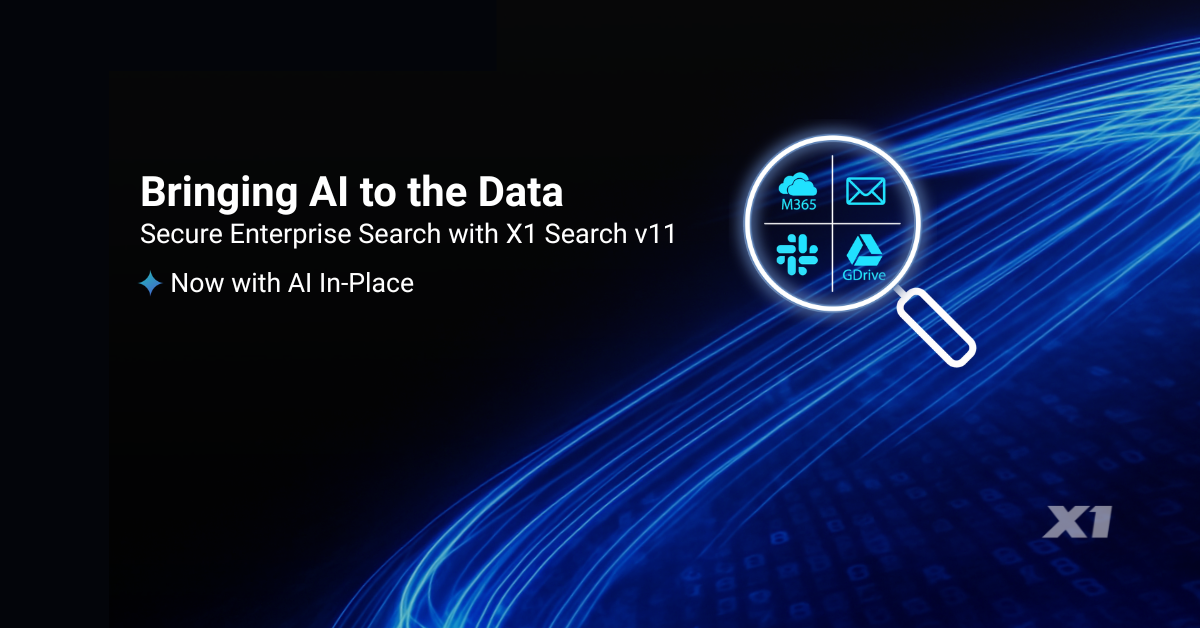
Enterprise search has long been a pain point for organizations—fragmented data, slow retrieval, and outdated architectures have left businesses struggling to find information efficiently, resulting in millions of hours of lost productivity. But with the release of X1 Search Version 10, a new era has arrived—one that redefines how business professionals search, discover, and act on their information across cloud and endpoint ecosystems.

And the standout features? Full integration with Slack, enhanced support for Microsoft 365, support for Gmail and Google Drive and numerous other cloud data sources, as well as improvements to our enterprise-grade speed and scalability! With version 10, you can now search Slack in tandem with your email, files, and your Microsoft 365 data sources, including Teams.

Slack and Teams have become the modern enterprise’s water cooler and meeting room rolled into one. It is where you and your colleagues have critical conversations, exchange files, and document decisions. But until now, most enterprise search tools could not index Slack effectively, let alone allow unified searching across Slack and email.

X1 Search 10 changes the game by uniquely enabling real-time search across Slack messages, channels, and attachments alongside your Outlook, M365, Google Workspace, files, and more—all in a single interface. This allows business professionals to instantly search all their key information and full context of communication threads, no matter where their conversations took place. Imagine searching, seeing, and acting on your relevant Slack chats, Teams chats, email threads, and related documents side by side, in seconds. No toggling between systems. No data blind spots. Just instant insight and supercharged productivity.

Speed, Scale, and Simplicity with Micro-Indexing
What makes this lightning-fast and massively scalable experience possible is X1’s patented search and micro-indexing architecture. Unlike legacy systems that first require inefficient, time-consuming crawlers to collect, duplicate, and then transfer the data en masse into central repositories, which is a recipe for failure, X1 indexes data in-place. This means:

• No massive data movement
• Real-time indexing at the source
• Full maintenance of user permissions and access controls
• Lightning-fast search response times—even across multi-terabyte datasets

This distributed, index-in-place model is purpose-built for today’s data environment, where critical content lives across cloud platforms (Microsoft 365, OneDrive, SharePoint, Slack), endpoints, MS Exchange Servers, and file shares. With X1, organizations get a true federated view of enterprise content—without sacrificing speed, security, information governance, or user experience.

Legacy Enterprise Search Is Officially Obsolete
Traditional enterprise search tools—built for centralized environments—are no match for the demands of the modern workplace. As data continues to fragment across cloud platforms, remote endpoints, and collaboration apps like Slack and Teams, the old Enterprise Content Management (ECM) model of copy and migration to centralized indexing is completely untenable in terms of the laws of physics as well as creating significant security and governance risks.

X1 Search leapfrogs past those outdated architectures. With native support for Slack, robust Microsoft 365 integration, and enterprise-grade security and scalability, X1 enables rapid search and collection across the full digital workplace.

No more hours of lost productivity per week. Just real-time, precise search across your enterprise data—wherever it lives.

X1 Search Version 10 is now available. Ready to see it in action? Watch a 4-minute demo or obtain a free trial license (no credit card required) now.

Leave a comment

Filed under Best Practices, Business Productivity Search, Cloud Data, Corporations, Desktop Search, Enterprise Search, Hybrid Search, Information Management, m365, MS Teams, OneDrive, productivity, Records Management, SharePoint, X1 Search 10

Law Firms and Major Enterprises Are Rapidly Moving to X1 Search As Traditional Enterprise Search Becomes Obsolete

By John Patzakis and Chas Meier

Are you tired of wasting hours each week fruitlessly searching across emails, documents, cloud services, and local drives? You’re not alone. Law firms and major enterprises are increasingly recognizing the inherent limitations of legacy enterprise search solutions and turning decisively toward X1 Search.

X1 Search delivers a revolutionary user-based search experience that dramatically boosts productivity. Demand for X1 Search has skyrocketed this year—one major federal agency is expanding from 20,000 to over 40,000 licenses to equip every employee. Nearly half of AMLAW 100 firms now deploy or are actively considering X1. Why this rapid shift?

Traditional enterprise search solutions are fundamentally broken in today’s hybrid-cloud enterprise landscape. They rely heavily on outdated architectures that require mass data duplication and centralization—approaches rendered obsolete by remote work and distributed platforms such as Microsoft 365 and Google Workspace. Specifically, traditional tools face:

  1. Scalability Roadblocks: Centralizing terabytes of distributed unstructured data is now effectively impossible in the modern enterprise.
  2. Incompatibility with Modern Platforms: Legacy systems struggle to integrate effectively with platforms like Microsoft 365 due to restrictive APIs and loss of security permissions when the data is copied and exported en masse.
  3. Regulatory and Governance Challenges: Mass duplication of sensitive data violates critical data protection regulations and contradicts fundamental information governance principles. The GDPR specifically mandates data minimization, particularly when viable alternative technologies exist, as evaluated through a Data Privacy Impact Analysis (DPIA).

Employees in modern organizations effectively have two viable search options: the limited native Windows search or the robust, efficient capabilities of X1 Search. Microsoft Copilot itself recently highlighted X1 Search’s advantages:

“X1 Search offers advanced indexing, instant search-as-you-type capabilities, powerful filtering, keyword highlighting, and document/email previews, significantly surpassing standard Windows Search. Moreover, X1 seamlessly searches across emails, documents, cloud storage, archived data, and more—far beyond Windows Search capabilities.”

X1 Search introduces an entirely new, distributed search architecture uniquely suited to today’s enterprise environments:
Distributed Micro-Indexing: Patented technology ensures secure, permission-aligned indexing, granting employees immediate, secure access to authorized data only.
No Mass Data Duplication: Interact directly with original documents without unnecessary duplication, ensuring compliance and efficiency.
True Federated Search: Search instantly and iteratively across M365, Google Workspace, Slack, and local data sources within a single unified search field—a capability unmatched by any other solution.

The latest X1 Search transcends desktop limitations, instantly searching Microsoft Email, Teams, Slack, OneDrive, SharePoint, local files, and now Google Drive and Gmail, all from one intuitive interface. This empowers users to reclaim hours each day, dramatically boosting productivity.

Leave a comment

Filed under Best Practices, Business Productivity Search, Cloud Data, Corporations, Data Audit, Desktop Search, eDiscovery, Enterprise Search, ESI, GDPR, Google Workspace, Hybrid Search, Information Governance, Information Management, m365, MS Teams, OneDrive, SharePoint

X1 Enterprise Successfully Passes GDPR-Mandated Data Protection Impact Assessment

By John Patzakis

The European Union (EU) General Data Protection Regulation (GDPR) requires that subject organizations ensure and demonstrate the protection of personal data under their control. GDPR Article 35 mandates that when implementing new data collection technologies or engaging in a major new project involving significant data collection, an organization must perform a Data Protection Impact Assessment (DPIA).

Recently, a Fortune 500 company with global operations successfully implemented X1 Enterprise to address their eDiscovery and information governance requirements throughout the EU region, involving both Microsoft 365 and on-premises data sources. This implementation required the vetting of X1 Enterprise by auditors and the internal Data Protection Officer through an extensive DPIA process, which X1 passed. The effort provides important industry insights into how our Fortune 500 customer leveraged X1’s unique, on-premises index-in-place and targeted search and collection features, as well as other data minimization capabilities, to meet the DPIA requirements.

The EU provides official guidance and a checklist for conducting an Article 35 DPIA. Among the key requirements is the consideration of the “current state of the technology” in the area and that the technology and collection processes have adequate “proportionality measures” in their collection capabilities to “ensure data minimalisation.” If processes and technology engage in overly broad data collection, the guidance suggests considering alternative technologies and methods.

The team at our Fortune 500 customer emphasized the following unique data minimalization capabilities and features of X1 Enterprise in their DPIA:

  1. Index and Search Data In-Place. X1’s proprietary micro indexes enable the searching of data on laptops, file servers and Microsoft in-place so that only the potentially relevant data is collected for eDiscovery and data audits, which fulfills the GDPR’s proportionality requirements. In contrast, tools that require full disc imaging for basic eDiscovery collection are extremely problematic.

    As the court said in In re Ford Motor Company, 345 F.3d 1315: “[E]xamination of a hard drive inevitably results in the production of massive amounts of irrelevant, and perhaps privileged, information…” Even worse, the collected data is then re-duplicated, often multiple times, by the examiner for archival purposes. And then the data is sent downstream for processing, which results in even more data duplication. Load files are created for further transfers, which are also duplicated. Notably, EU guidance for a DPIA analysis requires that organizations consider alternative data collection technologies and methods that have better “proportionality measures” to “ensure data minimalization.”
  2. Blind Searches and User Enabled Review. Using X1 Enterprise, an administrator can run detailed system wide searches and receive a detailed search result report without having access or possession of the target data. Instead, the administrator can direct X1 to first present the search results to the end-user employee to review and apply tags to identify personal, relevant or non-personal data, thereby applying clear and detailed consent to the subsequent collection of any relevant information.
  3. Segmentation of Data Regions vs. Creation of Central Data Lakes. X1 can be deployed behind an organizations’ firewall or their own private cloud instance in the EU. Each custodian/employee is associated with a single micro-index. This allows X1 to target searches to specific EU counties and segments of users. This contrasts to archiving or other eDiscovery tools that require bulk copying and intermingling of all user data to a central location, where additional back-up copies are made, all which directly run afoul of the data minimalization and proportionality requirements of the GDPR.
  4. Delete Data In-Place. GDPR requires the deletion of non-compliant on demand. Purging data on managed archives does not suffice if other copies are on laptops, unmanaged servers and other unstructured sources. X1’s on-premises distributed architecture uniquely enables the systematic deleting of data in place.
  5. Platform to Enforce GDPR and Privacy Policies. In addition to asserting X1 met the requirements and standards under GDPR mandated DPIA, our Fortune 500 customer noted as further justification in their DPIA that they also planned to utilize X1 Enterprise to enforce privacy policies and provisions under the GDPR. X1 Enterprise is an ideal platform to respond to Data Subject Access requests, proactively audit data sources to identify and remediate personal information, as well as systematically purge unneeded data that may contain personal information of EU data subjects.

    Ready to Learn More?
    For companies navigating complex information governance and eDiscovery requirements, including those involving M365, the  X1 Enterprise Platform ensures compliance while protecting privacy. By implementing X1 Enterprise, organizations can not only reduce costs and save valuable time but also gain a strategic advantage in managing their information governance needs. For a demonstration of the X1 Enterprise Platform, contact us at sales@x1.com. For more details on this innovative solution, please visit www.x1.com/solutions/x1-enterprise-platform.

Leave a comment

Filed under Best Practices, Case Study, Cloud Data, compliance, Data Audit, eDiscovery & Compliance, GDPR, Information Governance, Information Management, law firm, m365, Preservation & Collection

Inactive Mailboxes, Unlocked: How X1 Enterprise Transforms M365 Data Discovery and Compliance

By Chas Meier and John Patzakis

In today’s compliance-driven environment, organizations must retain, discover, and manage large volumes of email data—even when the employees who once owned that data have long since departed. In Microsoft 365 (M365), this is managed through the concept of “inactive mailboxes.” An inactive mailbox is a mailbox that remains accessible for legal, regulatory, or compliance reasons, but no longer corresponds to an active user. While these preserved data stores are critical for eDiscovery, compliance, and investigations, they can pose significant challenges when it comes to efficiently locating, searching, and collecting the information they contain.

Fortunately, the latest innovations from X1 Enterprise are transforming how organizations handle these inactive mailboxes, making it easier and more streamlined than ever to discover and collect critical information—no matter where it resides.

What Are Inactive Mailboxes in M365?
Inactive mailboxes are mailboxes retained after a user leaves an organization, even after their license is removed. By placing a mailbox on legal hold or under a retention policy before deprovisioning the user, you can preserve it indefinitely without incurring licensing costs. This ensures the data remains accessible for compliance and eDiscovery. Best practices include applying holds before removing accounts, treating inactive mailboxes as part of ongoing governance efforts, and lifting holds once no longer needed.

The Process of Searching Inactive Mailboxes in Purview
In Microsoft Purview (the compliance and security center for Microsoft 365), users granted the eDiscovery manager role and each provisioned with an E5 license can search across both active and inactive mailboxes to fulfill legal or regulatory requirements. Generally, the process involves:

  1. Identifying the Inactive Mailboxes: Administrators must first know which mailboxes are inactive. Inactive mailboxes do not appear in the standard active user lists and often require additional steps to locate—either through the Purview interface, the Microsoft 365 admin center, or by running PowerShell scripts.
  2. Setting Up Permissions and Scope: The person performing the search needs appropriate eDiscovery roles in Purview. Once permissions are granted, they create a new content search or eDiscovery case and include the specific inactive mailboxes in the scope.
  3. Applying Search Criteria: Administrators can filter the search by date, keywords, sender/recipient, or other criteria. After running the search, Purview indexes the content and returns results for review and export.

Why Users Find It Challenging
Users face significant challenges when searching inactive mailboxes due to limited visibility—these mailboxes do not appear with active ones, requiring extra effort to locate and include them. Additionally, complex eDiscovery and compliance roles can be difficult to manage, particularly in organizations with large teams or complicated approval processes. A lack of a unified interface means working across multiple portals, tools, or scripts, leading to a fragmented and easily mismanaged workflow. Finally, without an intuitive, consolidated process, adding inactive mailboxes into search scopes, running queries, and ensuring data completeness is time-consuming and more prone to errors.

As organizations scale and accumulate thousands of these mailboxes, these difficulties multiply. Managing a vast, growing inventory of inactive mailboxes transforms a cumbersome task into a formidable burden, slowing down investigations, audits, and regulatory responses, and increasing the risk of overlooking critical data.

Many organizations resort to re-hydrating inactive mailboxes by applying an active M365 license to each one (“throwing licensing”), copying all M365 mailboxes of departed employees in a separate non-Microsoft archive (“throwing archiving”), or bringing inactive mailboxes into the litigation workflow (“throwing services”) to address the problem when faced with eDiscovery requests. Each of these approaches is extremely expensive, burdensome, and fraught with risk.

Driving the Transformation of Inactive Mailboxes through New Capabilities
X1 Enterprise has long been a trusted solution for comprehensive and targeted search across M365 data sources, file servers, and endpoints. With the new release of X1 Enterprise version 5.3, X1 is taking an industry-leading step forward in how organizations manage and leverage their inactive mailboxes.

How X1 Enterprise Revolutionizes Inactive Mailbox Management:

  • Unified Discovery Experience: With X1 Enterprise 5.3, legal and compliance professionals can now select inactive mailboxes directly within the platform. Instead of treating inactive mailboxes as separate or isolated repositories, X1 provides a consistent, familiar interface—just like working with active mailboxes.
  • Centralized Indexing and Search: Once selected, inactive mailboxes can be staged, indexed, searched, and collected using the same intuitive workflows. This streamlines eDiscovery, ensures rapid insights, and reduces the administrative burden on IT and compliance teams.
  • Seamless Integration with Microsoft Purview: X1 Enterprise automatically discovers and presents your full list of inactive mailboxes stored in Microsoft Purview (formerly Office 365 Security & Compliance Center) using only a single E5 license. This direct integration ensures that all preserved mailboxes are readily visible and actionable.
  • Consistent Identification and Collection Workflows: By applying the same workflows to both active and inactive mailboxes, X1 Enterprise eliminates confusion and complexity. The result is a more efficient and effective approach to responding to legal requests, regulatory audits, and internal investigations.

Benefits of the New Approach:

  1. Faster Response Times: Legal and compliance teams can rapidly identify and collect relevant information from inactive mailboxes without reinventing the wheel for each scenario.
  2. Improved Efficiency: In-place indexing and targeted searching with X1 Enterprise reduces administrative overhead and streamlines processes without the need to “boil the ocean,” thereby vastly reducing licensing costs with no need for 3rd party services or archiving platforms.
  3. Reduced Risk: Consistent workflows lower the chance of missing critical data or mismanaging preserved mailboxes.
  4. Enhanced Transparency: Having a clear, uniform process for both active and inactive mailboxes bolsters your overall information governance framework.

In Conclusion: Embrace the Future of Inactive Mailbox Management
Inactive mailboxes are here to stay, as legal and regulatory requirements continue to mandate the preservation of key business communications. Instead of viewing these repositories as a burden, forward-thinking organizations can leverage advanced technologies like X1 Enterprise 5.3 to take control of their compliance landscape.

Ready to Learn More?
The X1 Enterprise Platform is available now from X1 and its global channel network in the cloud, on-premises, and with our services available on-demand. For a demonstration of the X1 Enterprise Platform, contact us at sales@x1.com. For more details on this innovative solution, please visit www.x1.com/solutions/x1-enterprise-platform.

Leave a comment

Filed under Best Practices, Cloud Data, Corporations, eDiscovery, eDiscovery & Compliance, Enterprise eDiscovery, ESI, Information Governance, Information Management, m365, Preservation & Collection

Microsoft Copilot Explains Why X1 Search is Far Better than Windows Search

By Chas Meier

We’ve been hearing a lot of good things about Copilot, Microsoft’s generative AI chat bot. So, we asked Copilot the following prompt:

“Is X1 Search better than the standard Windows Search?

Here is Copilot’s reply in full:

“Yes, X1 Search offers many advantages over standard Windows Search, especially if you’re dealing with large volumes of documents and emails. It integrates with multiple data sources, provides faster and more efficient searches, and offers advanced filtering and preview options that standard Windows Search lacks. For someone in your line of work, X1 Search could be a real game-changer.”

Intrigued, we explored further:

“What are the advantages of X1 search over standard Windows search?

Copilot:

“Great question! Here are some key advantages of X1 Search over standard Windows Search:

  1. Unified Search Across Multiple Data Sources: X1 Search can search across emails, documents, local files, cloud storage (like Google Drive, OneDrive, Box), and even archived emails. Windows Search, on the other hand, is limited to your local files and doesn’t integrate as seamlessly with cloud services.
  2. Speed and Efficiency: X1 Search uses advanced indexing and fast-as-you-type search capabilities, allowing you to find information almost instantly. Windows Search can be slower, especially when dealing with large volumes of data.
  3. Advanced Filtering and Preview Options: X1 Search offers powerful filtering options, keyword highlighting, and full fidelity previews of documents and emails without needing to open them fully. This makes it easier to quickly identify relevant information. Windows Search lacks these advanced features.
  4. Integration with Email and Collaboration Tools: X1 Search integrates deeply with email clients like Outlook and Microsoft Teams, allowing you to search through emails, attachments, chats, and more. Windows Search doesn’t offer this level of integration.
  5. Cloud Data Search: X1 Search can index and search data stored in cloud repositories like Google Drive, OneDrive, and Box, which Windows Search doesn’t support.
  6. User Friendly Interface: X1 Search provides a simple, unified interface with over 50 refine columns, making it easy to navigate and find exactly what you need. Windows Search’s interface is more basic and less intuitive.

Does this help clarify the advantages for you?”

Yes, it does! Thank you, Microsoft Copilot! We could not have said it any better.

X1 Search is available for individual purchase on the X1 website and large volume, enterprise purchase by contacting X1 at sales@x1.com. To learn more about X1 Search visit  www.x1.com/solutions/x1-search.

Leave a comment

Filed under Best Practices, Business Productivity Search, Cloud Data, Corporations, Desktop Search, eDiscovery, Enterprise eDiscovery, Enterprise Search, ESI, Google Workspace, Hybrid Search, Information Access, Information Management, m365, MS Teams, OneDrive, productivity, SharePoint, X1 Search 9